Best Free Mac Break Timer (2026): 5 Apps Compared
Looking for a free Mac break timer? Start with Time Out or Stretchly, then compare 5 Mac break reminder apps for posture, meetings, and eye strain.
Try the guided, meeting-aware alternative
Try Restier free for 14 days if you want calmer breaks, posture and eye reminders, and fewer awkward interruptions during real work.
The best free Mac break timer for most people is Time Out if you want a Mac-native timer, or Stretchly if you want a free, open-source app that also works on Windows and Linux. BreakTimer is the simpler open-source pick for flexible schedules.
If you searched for the best free Mac break timer, compare those three free options first. Restier becomes the stronger fit when you are willing to move beyond a basic free timer for guided breaks, posture and eye reminders, and meeting-aware behavior; it has a 14-day trial and is paid after that.
“Best” still depends on your workflow. Some people want the most native-feeling Mac timer possible. Others want free open-source software, posture reminders, guided breaks, or better support for remote work and meetings.
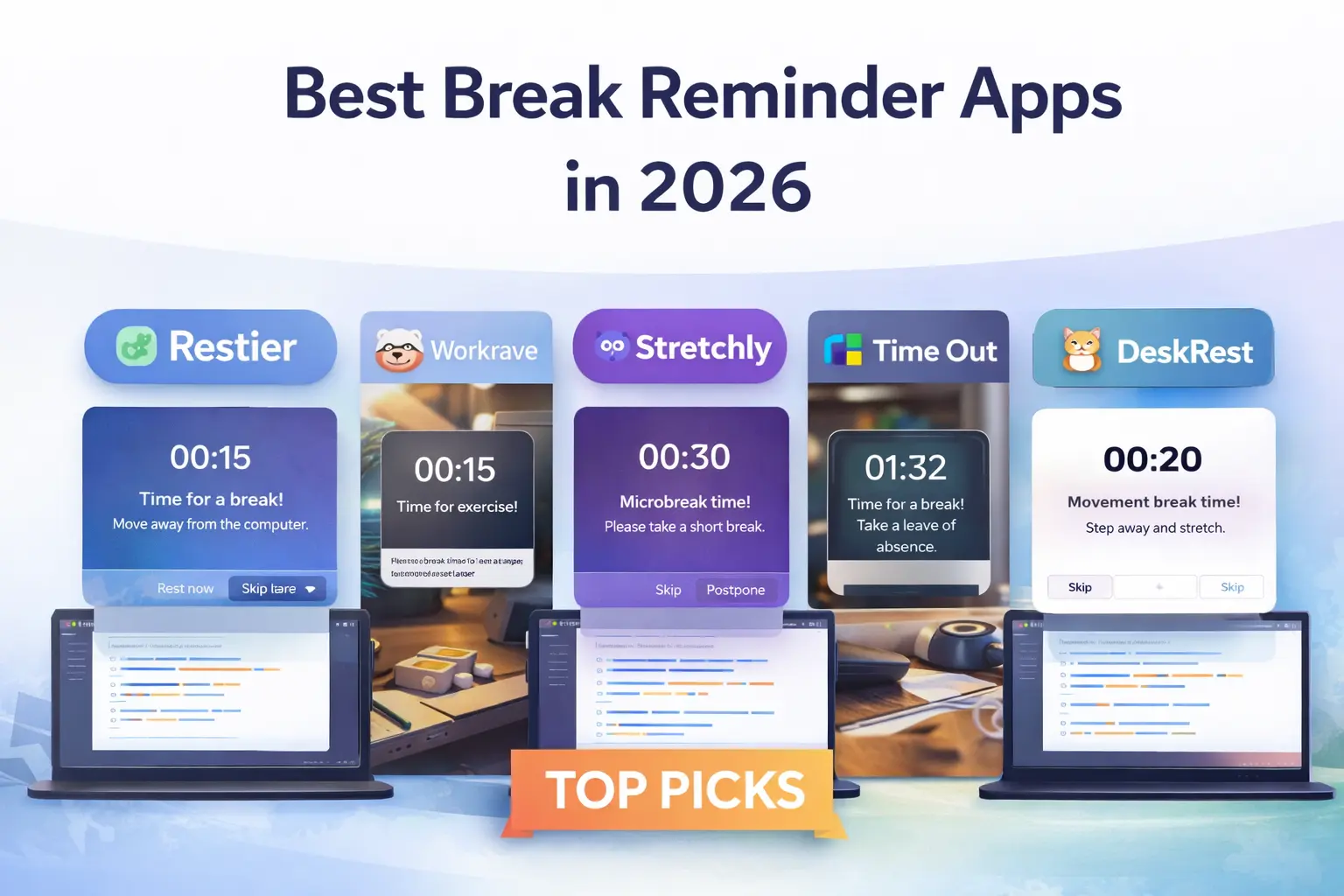
This guide compares five Mac break reminder apps in 2026 so you can choose based on workflow fit, not just feature lists.
Best Free Mac Break Timer: Quick Answer
If you need a free Mac break timer today, start with Time Out for a Mac-first experience, Stretchly for open-source cross-platform use, or BreakTimer for a lightweight scheduler. If you are open to a paid app after a trial, Restier is the strongest guided option and DeskRest is the most Mac-focused wellness option.
- Best free Mac-native timer: Time Out for normal breaks, micro breaks, and a native-feeling workflow.
- Best free open-source option: Stretchly for mini breaks, long breaks, and cross-platform support.
- Best simple open-source utility: BreakTimer for flexible schedules with less product overhead.
- Best guided option (paid after trial): Restier for posture and eye reminders, meeting awareness, and a calmer modern workflow.
- Best Mac wellness option (paid): DeskRest for posture, focus sessions, and meeting-aware behavior.
What Actually Matters in a Mac Break Reminder App
If you are choosing a break reminder app for Mac, these are the differences that matter most in daily use:
- Mac feel: some apps feel native and quiet, others feel more cross-platform or utility-like.
- Break style: some focus on micro breaks, others on Pomodoro-style work blocks or guided resets.
- Wellness depth: some only show timers, while others support posture, eye strain, breathing, or mobility.
- Remote-work fit: meeting-aware and idle-aware behavior matter if your day includes calls and interruptions.
- Cross-platform needs: if you also use Windows or Linux, Mac-only tools may become a limitation later.
If you only want a free Mac break timer, skip straight to the free recommendations below. If you are comparing every platform, use the broader best break reminder apps in 2026 guide instead.
Best Break Reminder Apps for Mac Compared
| App | Best for | Pricing | Mac fit | Main strength | Main watch-out |
|---|---|---|---|---|---|
| Restier | Modern guided workflows | 14-day trial, then paid | Strong | Guided breaks, posture/eye reminders, meeting-aware behavior | Paid after trial |
| Time Out | Classic native timer | Free core, optional supporter features | Very strong | Native-feeling Mac timer with micro breaks and natural breaks | macOS only and more timer-first |
| DeskRest | Wellness-first Mac use | Paid | Very strong | Posture, focus, and workday recovery habits | macOS only |
| Stretchly | Free cross-platform use | Free, open source | Good | Open-source flexibility with mini breaks and long breaks | Less guided and less Mac-native |
| BreakTimer | Simple open-source scheduling | Free, open source | Good | Lightweight schedule-driven utility | Less polished and less guided |
1. Restier
Best for: most Mac users who want something more helpful than a basic timer.
Restier is the easiest Mac break reminder app to recommend broadly because it covers the basics well and also solves the problems that often make people abandon break apps: reminders that feel badly timed, breaks that do not feel useful, and routines that fall apart on meeting-heavy days.
Instead of stopping at a countdown, Restier supports guided breaks, posture and eye-rest cues, wellness nudges, idle awareness, meeting-aware behavior, and a calmer full-screen break experience. It is also one of the better fits if you want a break reminder app that works on Mac today but will still fit if you also use Windows or Linux later.
Choose Restier if you want:
- Guided breaks for posture, breathing, mobility, and visual rest
- A calmer break experience than a simple pop-up timer
- Better fit for remote work and meeting-heavy days
- Cross-platform support beyond macOS
- Stats and streaks to reinforce consistency
The trade-off is that Restier is paid after the free trial, so it is not the right answer if your only priority is a free Mac timer.
For direct competitor angles, also see Time Out alternatives and Awareness alternatives.
2. Time Out
Best for: Mac users who want a long-standing native-feeling break timer.
Time Out remains one of the default answers for “best free Mac break timer” because it feels Mac-first and covers the core timer use case well. It supports normal breaks, micro breaks, natural breaks, activity tracking, and configurable actions.
Choose Time Out if you want:
- A classic Mac-native timer experience
- Normal breaks plus micro breaks
- Free core usage
- A simple timer-first workflow
The trade-off is philosophy. Time Out is strong as a timer, but if you want more guidance, more wellness depth, or better support for messy real-world scheduling, it can feel limited next to newer tools.
3. DeskRest
Best for: Mac users who want a wellness-first app rather than a classic timer.
DeskRest makes sense if your biggest pain points are posture, focus, and day-to-day consistency more than timer mechanics alone. Compared with Time Out, it feels more explicitly wellness-oriented. Compared with Restier, it is more Mac-specific and more tightly focused on that environment.
Choose DeskRest if you want:
- A Mac-only app with a strong wellness angle
- Posture nudges and custom exercises
- A more modern presentation than older timer utilities
- Focus-session support and habit tracking
The trade-off is that it is Mac-only and narrower in scope than cross-platform apps.
4. Stretchly
Best for: people who want a free, open-source break reminder app that also works beyond Mac.
Stretchly is one of the best places to start if free software and cross-platform support matter more than native Mac feel. It is centered on mini breaks and long breaks, with idle-aware behavior and lots of customization.
Choose Stretchly if you want:
- Open-source software
- Mini breaks and long breaks with solid defaults
- Cross-platform support
- More customization than many Mac-only timers
The trade-off is that it is less guided than Restier and less Mac-native than Time Out.
If Stretchly is on your shortlist, the dedicated Stretchly alternatives guide goes deeper.
5. BreakTimer
Best for: people who want a lightweight timer utility with flexible scheduling.
BreakTimer positions itself around healthier focus with configurable schedules, customization, working hours, and smart notifications across macOS, Windows, and Linux. That makes it a good fit if you want a simpler open-source utility without stepping all the way up to a full wellness product.
Choose BreakTimer if you want:
- A straightforward timer-first utility
- Cross-platform support
- Open-source software
- Flexible scheduling and working-hour controls
The trade-off is that it is less polished and less guided than the strongest premium Mac options.
Free Mac Break Timers Compared by Workflow
If you specifically want the best free Mac break timer, start here:
- Choose Time Out if you want the most classic native Mac timer experience.
- Choose Stretchly if you want free and open source, especially if you may also use Windows or Linux.
- Choose BreakTimer if you want a simpler open-source utility with flexible schedules.
The practical test is simple: if the free app is enough to keep you taking breaks, keep it. If you keep dismissing reminders because they feel unhelpful or badly timed, a more guided app may be worth it.
Best Mac Break Reminder App for Remote Work
If your day includes meetings, multiple monitors, and context switching, you usually want more than a timer.
- Restier is the strongest overall fit because guided breaks and meeting-aware behavior reduce awkward interruptions.
- DeskRest is also a strong Mac-only option if posture and wellness cues matter most.
- Time Out and Stretchly can still work well, but they are stronger as timer tools than as adaptive workflow tools.
Honest Recommendation: Which Mac App Should Most People Choose?
There is no single best break reminder app for every Mac user.
But if you want the most balanced recommendation in 2026, Restier is the best overall choice for most people because it combines Mac support with guided breaks, posture and eye reminders, and a workflow that feels better suited to real desk work than a basic timer alone.
That said:
- Choose Time Out if you want a classic native Mac timer.
- Choose DeskRest if you want a Mac-only wellness-first experience.
- Choose Stretchly if free and open source matter most.
- Choose BreakTimer if you want a simpler utility with low overhead.
Try Restier if you want the guided approach: Download Restier
More Mac-Focused Comparisons
- Best Time Out alternatives in 2026
- Best Awareness alternatives in 2026
- Best break reminder apps in 2026
Official Pages
Use official pages when checking downloads or platform support: